Add in one motion
Plus opens the sheet with the keypad already up. Amount, category, done. Notes, dates and repeats are one tap away when you need them.
 Expense Admin
Expense Admin: Know your budget
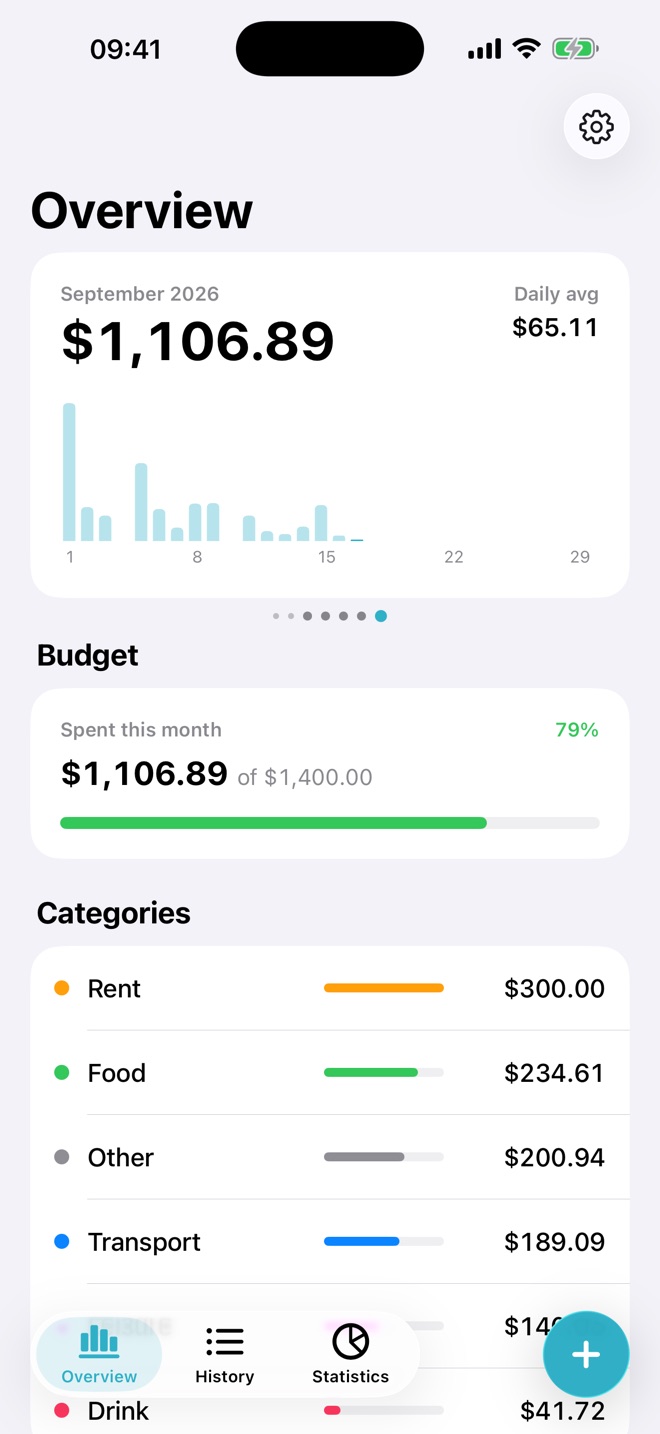
Tap plus and type the amount, tell Siri, or point the camera at a receipt. Expenses shows the month at a glance, warns you before a budget runs out and keeps everything on your iPhone.
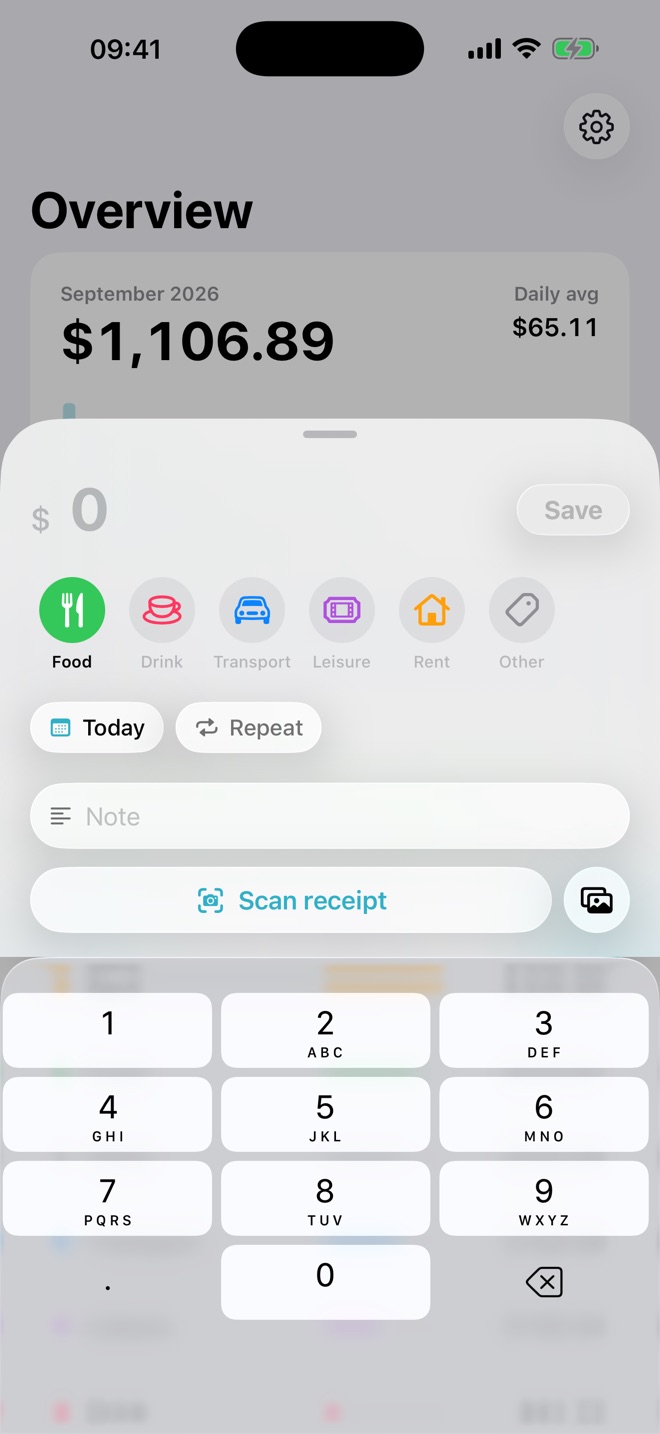
Plus opens the sheet with the keypad already up. Amount, category, done. Notes, dates and repeats are one tap away when you need them.
Set a monthly budget in total or per category. The bar moves from green to yellow to red as the month goes on, so the surprise never comes on the last day.
The overview is a card per month. Swipe back through your history, compare totals and see the daily rhythm of your spending.
Hands free
Say "Add a food expense in Expenses" and answer with the amount. Siri confirms what it saved and the entry is in your history before you put the phone down. Ask "How much did I spend in Expenses" to hear your totals. It also works from Shortcuts and Spotlight, and with Apple Intelligence.

On-device AI
Point the camera at a receipt. Expenses reads the amount, the date, the merchant and a fitting category right on your iPhone and fills in the sheet for you. With Visual Intelligence the Camera app offers to save a receipt directly. Nothing is uploaded, ever.

Everything for adding and reviewing expenses is free. Pro adds the parts for people who want the full picture. One monthly subscription or a one-time purchase, your choice.
| Free | Pro | |
|---|---|---|
| Unlimited expenses, categories and budgets | Free | Pro |
| Siri, Shortcuts and Spotlight | Free | Pro |
| Search, filters and Face ID lock | Free | Pro |
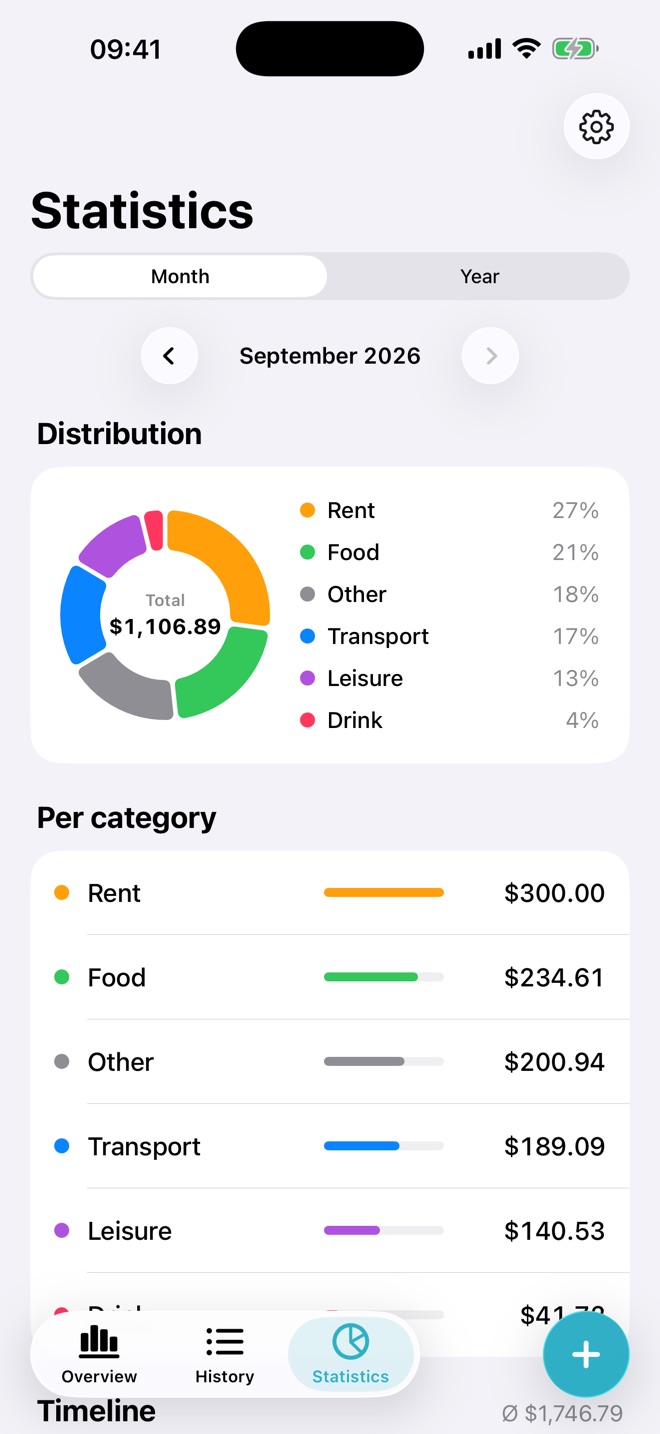
| Statistics: distribution, per category, timeline | Free | Pro |
| Receipt scanning with on-device AI | Free | Pro |
| iCloud sync across your devices | Free | Pro |
| CSV import and export | Free | Pro |
| Recurring expenses | Free | Pro |
Expenses works without signing up. Your data lives on your iPhone and, if you turn on sync, in your own private iCloud.
Receipt images and the text read from them are processed by Apple's on-device frameworks. They are never sent anywhere.
No analytics, no third-party SDKs, no advertising. Optional Face ID lock keeps the app closed to anyone else holding your phone.